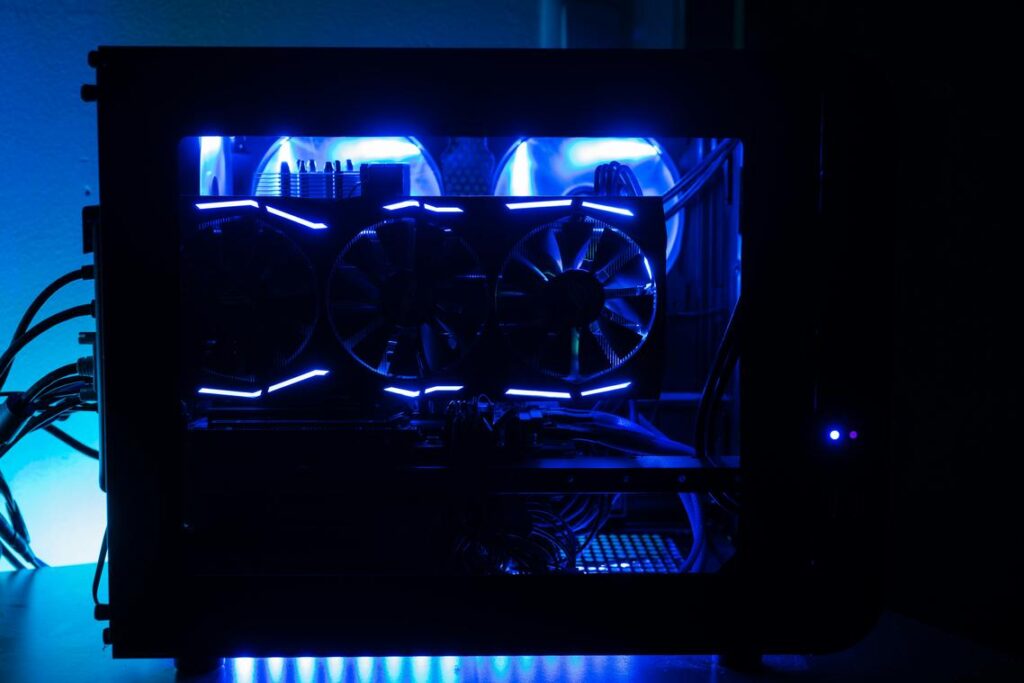
When every millisecond counts, your hardware can’t be the weak link. This guide is built for players who want a true tournament ready gaming pc—not just a system that runs games, but one engineered to dominate under competitive pressure. Standard gaming builds often buckle in high-stakes moments, causing frame drops, input lag, and stutters that cost matches. Here, we break down exactly which components and optimizations deliver measurable gains in esports titles, backed by extensive benchmarking and real competitive feedback. You’ll learn what to prioritize, what to ignore, and how to turn every dollar into higher, more stable framerates and lower system latency.
The CPU: Your Rig’s Strategic Command Center
If your GPU is the muscle, your CPU is the shot-caller. In competitive titles like Valorant, CS2, and Apex Legends, high clock speeds (how fast each core processes instructions) and massive L3 cache (ultra-fast memory the CPU uses to store frequently accessed data) matter more than raw core count. These esports engines reward rapid, repeated calculations—not 16 idle cores waiting for a cinematic cutscene. That’s why chips with stacked cache often top gaming charts (see AMD performance data, 2023).
Some argue more cores “future-proof” your build. Fair. But for high-FPS gaming today, fewer faster cores win matches (and gunfights).
Top Contenders for the Throne
- AMD Ryzen X3D series – The extra 3D V-Cache feeds game data faster, boosting minimum FPS and smoothing frame times.
- Intel i7/i9 K-series – High boost clocks and strong single-threaded performance dominate competitive workloads.
If you’re building a tournament ready gaming pc, choose one of these. Don’t overthink it.
The Bottleneck Problem
Pairing a weak CPU with an RTX-class GPU? That’s a bottleneck—when the processor can’t feed frames fast enough, causing stutter and inconsistent frame pacing (a key factor in perceived smoothness, Intel Developer Docs).
BIOS-Level Optimizations
Enable XMP/EXPO to unlock rated RAM speeds. Disable aggressive power-saving states. Free performance is still performance. Pro tip: update your BIOS before tuning for stability.
The GPU: Rendering Victory at Maximum Framerates
If you’re serious about competitive gaming, 60 FPS isn’t the goal—240+ FPS is. Frames per second (FPS, the number of images your GPU renders each second) directly impact input responsiveness. On a 240Hz monitor, anything less leaves performance on the table (and possibly the round).
Some argue that once you pass 144 FPS, diminishing returns kick in. That’s partially true for casual play. But in esports titles like Valorant or CS2, lower frame times (the milliseconds between frames) measurably reduce input latency (NVIDIA, 2023). At high ranks, that margin matters.
Choosing Your Graphics Card
| Tier | Resolution Target | Example Class |
|——|——————-|—————|
| 1080p Esports King | 240–360 FPS | RTX 4060 / RX 7600 |
| 1440p Competitive Standard | 240 FPS | RTX 4070 / RX 7800 XT |
Prioritize raw rasterization power (traditional frame rendering performance) over flashy ray tracing.
Driver-Level Tuning
- Set Power Management to Prefer Maximum Performance
- Enable Low Latency Mode or Anti-Lag
- Disable V-Sync in-game (use monitor sync instead)
Pro tip: Keep drivers updated, but avoid day-one installs before tournaments.
VRAM – How Much Is Enough?
VRAM (video memory) stores textures and assets. For esports titles, 8GB is typically sufficient; clock speed and core frequency matter more for pure FPS.
What’s next? Pair your GPU with a high-clock CPU and tuned RAM—because even a tournament ready gaming pc is only as strong as its weakest bottleneck.
RAM & Storage: The Unsung Heroes of Instant Response
Most gamers obsess over GPUs. I get it—they’re flashy. But in my experience, RAM and storage are the real difference between “pretty smooth” and tournament ready gaming pc smooth.
First, let’s define terms. RAM speed (measured in MHz or MT/s) determines how fast data moves, while CAS Latency (CL) measures delay before RAM responds. Lower CL + higher speed = tighter frame stability and stronger 1% lows (those annoying micro-dips you feel even if FPS looks high). Some argue 32GB is all that matters. I disagree. Capacity without speed is like putting regular gas in a race car.
Then there’s DDR5, the latest memory standard. Its higher bandwidth feeds the CPU more data, faster (Crucial, 2023). That matters in esports titles where milliseconds decide rounds.
Finally, Gen4 or Gen5 NVMe SSDs slash load times and prevent asset-streaming stutter (Samsung, 2024). Pro tip: prioritize sequential read speeds above 7,000 MB/s.
For deeper optimization, review the key hardware features for low latency competitive play.
Cooling & Power: Maintaining Peak Performance Under Pressure
Heat is the silent performance killer. When your CPU or GPU gets too hot, it triggers thermal throttling—an automatic slowdown designed to prevent damage (great for safety, terrible mid‑match). As a result, frame rates dip exactly when you need stability most. In tournament settings, that’s the difference between clutch and collapse.
So, what’s better: air or liquid cooling? High-end air coolers are reliable, cost-effective, and surprisingly powerful. However, 240mm or 360mm AIO (all-in-one) liquid coolers dissipate heat faster for top-tier CPUs under sustained loads. If you’re building a tournament ready gaming pc, either option works—provided airflow and case space are optimized.
Then there’s the PSU (power supply unit). An 80+ Gold or Platinum unit ensures clean, stable power delivery (efficiency ratings certified by Cybenetics and 80 PLUS standards). Skimping here risks crashes and instability. Next, you’ll want to calculate wattage headroom for future GPU upgrades.
The Display: Your Window to the Battlefield
REFRESH RATE IS KING. A 60Hz screen updates 60 times per second; a 240Hz, 360Hz, or even 540Hz panel updates far more often, delivering smoother motion and fresher visual data (critical when milliseconds decide matches). In a 240Hz vs 60Hz duel, the higher rate simply shows you enemies sooner.
Response time—ideally 1ms or lower—controls how fast pixels change color. Slower panels cause ghosting and motion blur. TN vs IPS? TN is faster but weaker in color; IPS balances speed with clarity.
G-Sync and FreeSync eliminate screen tearing without V-Sync’s added input lag—essential for any tournament ready gaming pc setup.
From Blueprint to Dominance: Your Competitive Edge is Built
You came here to build a machine that gives you a real competitive edge—and now you have the blueprint to do exactly that. With the right balance of a fast CPU, powerful GPU, and responsive RAM and SSD, you eliminate the frustration of stutters, input lag, and hardware-induced losses.
A tournament ready gaming pc isn’t about flashy specs—it’s about stable high framerates and minimal latency when the pressure is on.
Don’t let outdated hardware cost you another match. Start planning your build today, choose components with purpose, and create a system that performs flawlessly when it matters most.