
Choosing the right gaming monitor can be the difference between a split-second victory and a frustrating defeat. If you’re here, you’re likely trying to cut through the noise—refresh rates, response times, panel types, resolutions—and figure out what actually matters for your setup and playstyle. This gaming monitor buying guide is built to do exactly that.
We break down the essential specs that impact real-world performance, explain how different features affect competitive and casual gaming, and highlight what to prioritize based on your hardware and budget. Instead of repeating marketing jargon, we rely on hands-on testing insights, performance benchmarks, and competitive gaming standards to guide our recommendations.
By the end of this guide, you’ll know how to confidently choose a monitor that maximizes visual clarity, responsiveness, and overall performance—so your screen becomes a competitive advantage, not a limitation.
Your Screen is Your Battlefield: Why the Right Monitor is Your Biggest Upgrade
Choosing a gaming monitor feels harder than beating the final boss on nightmare mode. Hz (refresh rate, or how many times your screen updates per second), ms (response time), HDR, G-Sync—it’s alphabet soup. Here’s my take: your monitor matters more than your GPU once you hit stable frames.
Some argue “60Hz is enough.” Sure—if you’ve never tried 144Hz. Once you do, going back feels like playing in slow motion (and not the cool Max Payne kind).
• Competitive players: prioritize 144Hz+ and low response times
• Story-driven fans: focus on resolution and color accuracy
This gaming monitor buying guide cuts the fluff so you buy smart.
The Core Trio: Balancing Resolution, Refresh Rate, and Response Time
I still remember the first time I upgraded from a 1080p 60Hz monitor to a 1440p 144Hz panel. I expected a small bump in quality. What I got felt more like switching from cable TV to Blu-ray mid-match (and yes, I lost a few rounds just staring at how crisp everything looked).
Resolution: The Clarity vs. Performance Trade-off
Resolution refers to the number of pixels on your screen—common options are 1080p (1920×1080), 1440p (2560×1440), and 4K (3840×2160). More pixels mean sharper images, but they also demand more from your GPU (graphics processing unit—the component that renders images in games).
For competitive esports titles like Valorant or CS2, 1080p is often ideal. It’s easier to push high frame rates, which matters more than ultra-fine detail. 1440p hits the “sweet spot” for most gamers, balancing clarity and performance. Meanwhile, 4K shines in cinematic, single-player experiences like Cyberpunk 2077, where visual fidelity takes center stage.
Some argue resolution is all that matters—“Just go 4K and future-proof.” I disagree. If your GPU can’t sustain high frame rates, you’re trading smoothness for sharpness. That’s not always worth it.
Refresh Rate (Hz): The Smoothness Factor
Refresh rate, measured in Hertz (Hz), tells you how many times your screen updates per second. A 60Hz monitor refreshes 60 times per second; 144Hz does so 144 times.
The jump from 60Hz to 144Hz is dramatic—movement feels fluid, inputs feel immediate. At 240Hz+, especially in FPS or racing games, you gain a tangible competitive edge. (It’s the difference between reacting and predicting.)
Response Time (ms): Eliminating Ghosting and Blur
Response time measures how quickly pixels change color. Lower is better—1ms is the gold standard for fast motion.
You’ll see two specs: GtG (Grey-to-Grey), measuring pixel transitions between shades, and MPRT (Moving Picture Response Time), which reflects perceived motion blur. Both matter, but manufacturers often highlight the lower number.
If you’re working through a gaming monitor buying guide, balance all three. Sharp visuals are great—but smooth, blur-free gameplay wins matches.
The Soul of the Image: Choosing Your Panel Type (IPS vs. VA vs. TN)
If resolution is the canvas, your panel type is the soul of the image. And yes, I have strong opinions about this.
IPS (In-Plane Switching): The Color Champion
IPS panels are my go-to recommendation for most gamers. Why? Color accuracy and wide viewing angles. IPS (In-Plane Switching, a panel technology designed to keep colors consistent across angles) delivers vibrant visuals that make open-world RPGs and cinematic adventures shine. Think of exploring Night City in Cyberpunk 2077—those neon lights deserve to pop.
Critics argue IPS used to be “too slow” for competitive play. That was true a decade ago. Modern IPS panels now reach 1ms response times and 144Hz–240Hz refresh rates (RTINGS, 2023), closing the gap significantly. Unless you’re chasing esports trophies, IPS is more than fast enough.
VA (Vertical Alignment): The Contrast King
VA panels excel in contrast ratio (the difference between the darkest blacks and brightest whites). Many VA screens reach 3000:1 contrast or higher, compared to IPS averaging around 1000:1 (DisplayNinja, 2024). If you game in a dark room, VA’s deep blacks feel cinematic.
The downside? Potential “black smearing” (blur in dark scenes due to slower pixel transitions). Some gamers don’t notice it. I do—and once you see it, it’s hard to unsee (like spotting bad CGI).
TN (Twisted Nematic): The Speed Demon
TN panels prioritize raw speed. They offer ultra-fast response times and high refresh rates, making them staples in competitive setups. But weaker color and poor viewing angles are real trade-offs.
Some pros still swear by TN. Personally? I’d rather enjoy my visuals unless I’m grinding ranked 24/7.
If you’re comparing options in a gaming monitor buying guide, remember: balance matters. And while upgrading your display, don’t overlook peripherals like mechanical vs membrane keyboards which is better for gamers. Pro tip: prioritize the panel that fits your actual playstyle—not your aspirational one.
Tearing Down Screen Tearing: A Simple Guide to G-Sync and FreeSync
What Is Screen Tearing?
Screen tearing happens when your monitor’s refresh rate and your GPU’s frame rate fall out of sync. The result? Splits across the screen where two frames collide mid-action (like a glitchy boss fight).
The Fix: Adaptive Sync
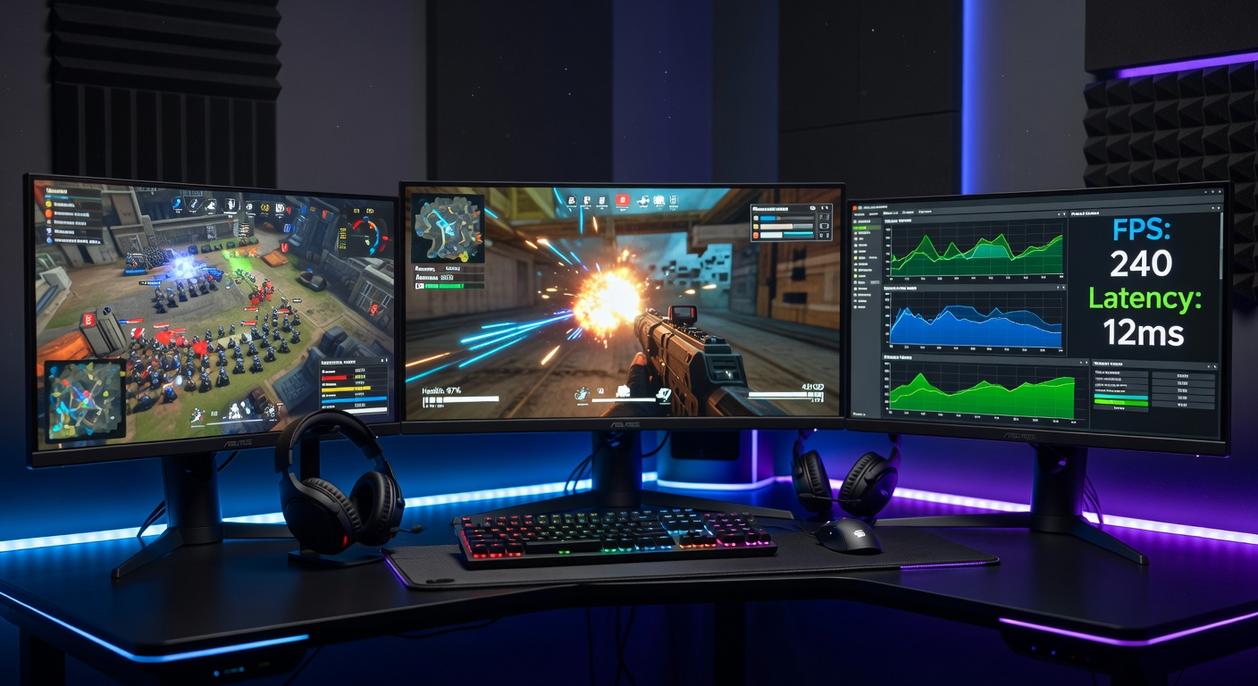
Adaptive Sync is technology that matches your monitor’s refresh rate to your GPU’s output. Instead of forcing frames, the display adjusts in real time for smoother, tear-free gameplay. In short, everything moves together.
G-Sync vs. FreeSync
G-Sync is NVIDIA’s proprietary solution, using a dedicated hardware module—often raising monitor prices. FreeSync, built on AMD’s open standard, typically costs less. Some argue G-Sync guarantees better quality, but many G-Sync Compatible monitors now deliver excellent results without the premium.
So, what should you choose? If you’re running NVIDIA, look for G-Sync Compatible models. On AMD, FreeSync is the smart buy. For specs, see a gaming monitor buying guide.
Finishing Touches: Do You Need HDR, Curved Screens, or Ultrawide?
First, HDR (High Dynamic Range) means a monitor can display brighter highlights and deeper shadows at the same time. In simple terms, explosions pop and dark scenes keep detail. However, both the game and monitor must support it. You’ll see levels like DisplayHDR 400, 600, and 1000—the higher the number, the brighter it gets.
Next, curved screens. On larger displays, a curve subtly fills more of your peripheral vision, which can feel more immersive.
Finally, ultrawide (21:9 or 32:9) gives a wider field of view in supported titles, a key point in any gaming monitor buying guide.
Building Your Perfect View: Matching a Monitor to Your Rig and Games
You now have the clarity. Spec sheets aren’t intimidating anymore—they’re leverage. While other guides stop at definitions, this gaming monitor buying guide connects specs to GPU output and frame pacing (yes, that stutter you blame on lag).
Core principle:
- Competitive FPS: 1080p/240Hz with TN or Fast IPS for speed.
- Immersive RPGs: 1440p/144Hz with IPS or VA for color.
Pro tip: match your GPU’s FPS to your refresh rate, not marketing claims.
Filter by your titles, confirm card’s limits, and choose the display that unlocks your rig’s maximum performance.
Level Up Your Setup with the Right Display
You came here looking for clarity on how to choose the right display for your setup — and now you know exactly what to look for. From refresh rate and response time to panel type and resolution, you understand how each factor impacts your performance and overall gaming experience.
The real pain point isn’t just picking a monitor — it’s avoiding wasted money on a screen that holds your performance back. A slow refresh rate, poor color accuracy, or mismatched specs can cost you wins and immersion. Now you’re equipped to avoid those mistakes.
Here’s your next move: use this gaming monitor buying guide as your checklist before you buy. Compare specs carefully, match them to your GPU and playstyle, and prioritize performance where it matters most.
If you’re serious about smoother gameplay, sharper visuals, and a true competitive edge, explore our top-rated performance builds and monitor recommendations designed specifically for gamers who want more. Don’t settle for average — upgrade smart, optimize your setup, and experience the difference today.