
Choosing between mechanical vs membrane keyboards can feel overwhelming, especially when performance, durability, and gaming precision are on the line. If you’re trying to decide which option best fits your setup—whether for competitive gaming, everyday use, or performance-focused builds—this guide is designed to give you clear, experience-backed answers.
Many buyers struggle with conflicting opinions, marketing hype, and technical jargon that makes it hard to understand what truly impacts speed, responsiveness, and long-term reliability. Here, we break down the real differences in feel, actuation, durability, noise levels, and overall value so you can make a confident decision.
Our insights are based on hands-on testing, performance benchmarking, and real-world gaming optimization experience. By the end of this article, you’ll understand which keyboard type aligns with your goals—and whether investing in mechanical precision or sticking with membrane practicality is the smarter move for your setup.
Choosing Your Ultimate Weapon: More Than Just Keys
Choosing between mechanical vs membrane keyboards isn’t just preference—it’s performance strategy. One feels like a precision tool; the other, a practical standby.
Feel vs Function
Mechanical: tactile feedback, audible clicks, faster actuation (the point where a key registers).
Membrane: softer press, quieter typing, cushioned bottom-out.
Side-by-side comparison:
- Speed: Mechanical switches reset faster, ideal for rapid double-taps.
- Durability: Mechanical boards often exceed 50 million keystrokes (Cherry MX data).
- Cost: Membrane keyboards are typically more affordable.
- Comfort: Membrane can feel gentler during long typing sessions.
Some argue membrane is “good enough.” True—for casual play. But in competitive matches, milliseconds matter.
The Silent Standard: Understanding Membrane Keyboards
First, let’s clear up what a membrane keyboard actually is. Instead of individual mechanical switches, it uses a three-layer pressure pad system. The top layer holds the keys, the middle layer is a flexible membrane with conductive traces (thin electrical pathways), and the bottom layer completes the circuit. When you press a key, a rubber dome collapses, pushing the top layer down so it touches the bottom layer—this completes the circuit and registers the keystroke.
As a result, the typing feel is often described as mushy or soft-bottom-out. In other words, there’s less crisp feedback compared to mechanical switches. However, they’re noticeably quiet, which makes them ideal for offices, classrooms, or late-night typing sessions (your roommates will thank you).
You’ll commonly find them in laptops, budget desktops, and standard office PCs. In debates about mechanical vs membrane keyboards, cost and noise often tip the scales.
Pros:
- Quiet operation
- Affordable
Cons:
- Limited tactile feedback
- Shorter lifespan
The Tactile Powerhouse: Deconstructing Mechanical Keyboards
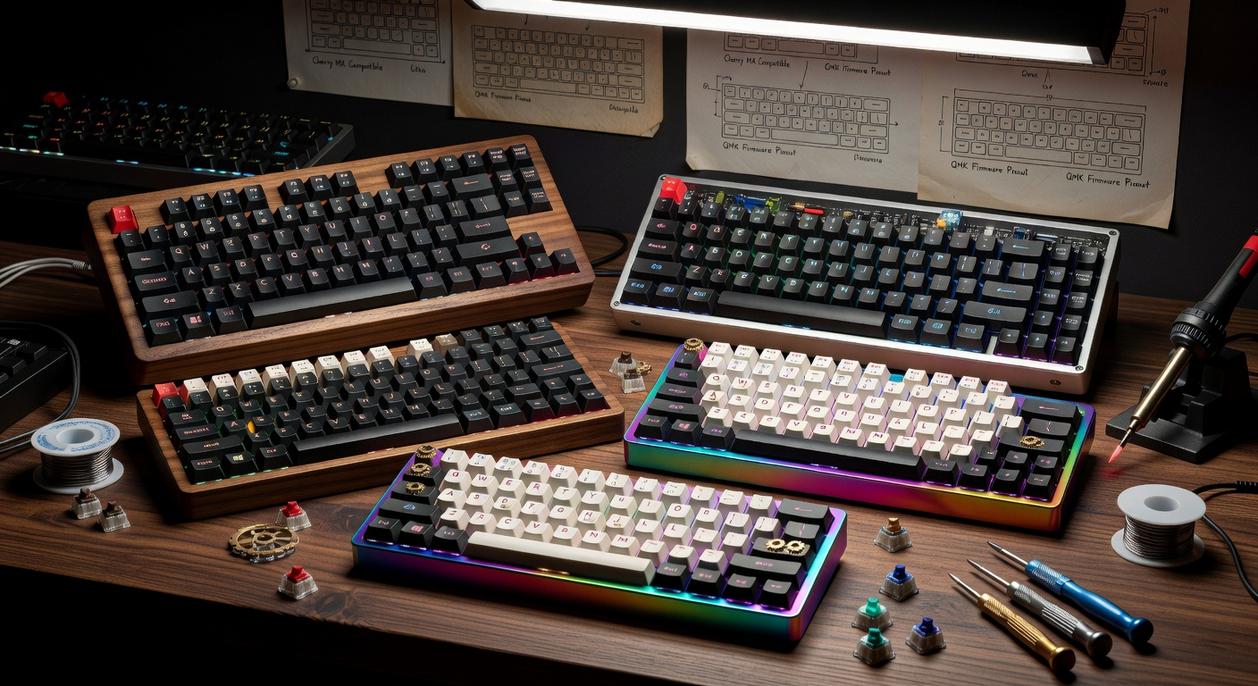
At the heart of every mechanical keyboard is an individual physical switch beneath each keycap. Unlike rubber-dome designs, each press activates a self-contained mechanism made of three parts: the stem (the moving piece you press), the spring (which controls resistance and return force), and the housing (which keeps everything aligned). This discrete architecture is the real differentiator in mechanical vs membrane keyboards.
The World of Switches
There are three primary switch types:
- Linear – Smooth keystrokes with no bump; ideal for fast FPS gameplay where rapid double-taps matter.
- Tactile – A noticeable bump at the actuation point; great for typists who want feedback without noise.
- Clicky – Audible click plus tactile bump; satisfying in a “old-school IBM” kind of way (your roommates may disagree).
What most competitors miss? Spring weight and stem design subtly affect fatigue over long gaming sessions—critical for competitive players.
Performance Edge
- Actuation point: The exact depth where a key registers input.
- NKRO (N-Key Rollover): Registers multiple simultaneous presses accurately.
- Faster response times due to direct switch actuation.
For serious optimization, pair your keyboard knowledge with this guide on how to pick the best gaming mouse for precision and speed.
Pros & Cons
Advantages
- Superior feedback
- Faster inputs
- High durability (50M+ keystrokes, per Cherry MX data)
- Deep customization
Disadvantages
- Louder operation
- Higher cost upfront
Feature by Feature: The Ultimate Showdown
Typing Feel & Feedback (100 words)
When comparing mechanical vs membrane keyboards, the first difference you’ll notice is feel. Mechanical switches use individual spring-loaded mechanisms that actuate (register a keypress) at a specific point before bottoming out. Many actuate at 1.8–2.2mm of travel (Cherry MX specs), giving crisp tactile or audible feedback. Membrane keyboards rely on rubber domes that require a full press to complete a circuit, creating a softer, less distinct response. Research published in Applied Ergonomics suggests tactile feedback can improve typing precision and reduce bottoming out fatigue. In real-world terms: fewer accidental presses, cleaner rhythm, and often faster sustained typing speeds.
Gaming Performance & Speed (100 words)
In competitive gaming, milliseconds matter. Mechanical switches typically require lower actuation force (around 45g for common linear switches), meaning faster repeated inputs with less finger strain. More importantly, most mechanical boards feature anti-ghosting and full NKRO (N-key rollover), allowing multiple simultaneous key presses without dropped inputs. Membrane keyboards often cap simultaneous inputs due to shared circuit layers. Microsoft’s Applied Sciences research has shown that input latency and rollover limits directly affect high-speed gameplay accuracy. In titles like Valorant or Fortnite, missed strafes or failed ability combos can cost rounds. Reliable input consistency isn’t hype—it’s measurable performance stability.
Durability & Lifespan (75 words)
Durability is where the numbers get stark. Membrane keyboards are typically rated for 5–10 million keystrokes. Mechanical switches commonly reach 50–100 million keystrokes (Cherry, Gateron manufacturer data). That’s up to ten times the lifespan. While critics argue membranes are cheaper upfront, long-term replacement costs add up. Over years of daily gaming or work, mechanical boards often prove the better value proposition—especially when individual switches can sometimes be replaced instead of the entire keyboard.
Customization & Aesthetics (75 words)
Customization is another dividing line. Mechanical keyboards support interchangeable keycaps (ABS vs PBT plastics), switch swapping, custom cables, programmable layouts, and even modded cases for acoustic tuning. Entire communities build boards like LEGO sets for adults (yes, it’s a thing). Membrane keyboards are usually sealed units with fixed keycaps and limited modification options. While some argue aesthetics don’t impact performance, comfort and personalization can influence long-term satisfaction—and satisfied users tend to stick with their gear longer.
Making Your Choice: Which Keyboard Fits Your Playstyle?
For competitive FPS or MOBA players, choose linear mechanical switches. They’re smooth (no tactile bump), fast, and consistent—ideal for rapid strafes and clutch ability combos.
MMO or RTS strategists—and heavy typists—should go tactile. You’ll feel a subtle bump at actuation (the point a keypress registers), giving feedback without excessive noise.
On a tight budget? Membrane boards are affordable, quieter, and perfectly viable for casual sessions. The mechanical vs membrane keyboards debate matters less if you’re just having fun.
Hybrid worker/gamer? Pick quiet linear or tactile switches—balance wins long-term.
Now that you understand how switch design shapes sound, speed, and feedback, the decision feels different. Instead of obsessing over flashy specs, you’re matching features to real life. Mechanical switches—individual spring-loaded mechanisms—offer tactile actuation, meaning the key registers before it bottoms out. Membrane boards, built on pressure pads, trade that precision for quiet simplicity. I personally lean mechanical; the responsiveness just feels honest (like driving stick instead of automatic). Still, if you share space, silence wins. So when weighing mechanical vs membrane keyboards, ask: what will elevate your grind? Ultimately, invest where performance meets comfort, then explore deeper build guides.
Level Up Your Setup with the Right Keyboard
You came here to figure out which keyboard truly fits your gaming style—and now you know the real differences between mechanical vs membrane keyboards. Whether you’re chasing faster response times, sharper tactile feedback, or a quieter and more budget-friendly option, the choice directly impacts your performance.
Settling for the wrong keyboard can mean missed inputs, slower reactions, and unnecessary frustration during critical moments. That’s the pain point most gamers overlook—until it costs them the win.
The right setup isn’t just about preference. It’s about precision, speed, and reliability when it matters most.
If you’re serious about upgrading your performance, now’s the time to act. Explore our top-rated gaming keyboards and performance builds designed to eliminate input lag and maximize competitive edge. Gamers trust our expertly optimized setups because they’re built for real results.
Don’t let outdated gear hold you back. Upgrade your keyboard today and feel the difference in every keystroke.
 Stephanie Martinezenic writes the kind of optimization tips for gamers content that people actually send to each other. Not because it's flashy or controversial, but because it's the sort of thing where you read it and immediately think of three people who need to see it. Stephanie has a talent for identifying the questions that a lot of people have but haven't quite figured out how to articulate yet — and then answering them properly.
They covers a lot of ground: Optimization Tips for Gamers, Pbox Competitive Gaming Rigs, Performance Boosting Builds, and plenty of adjacent territory that doesn't always get treated with the same seriousness. The consistency across all of it is a certain kind of respect for the reader. Stephanie doesn't assume people are stupid, and they doesn't assume they know everything either. They writes for someone who is genuinely trying to figure something out — because that's usually who's actually reading. That assumption shapes everything from how they structures an explanation to how much background they includes before getting to the point.
Beyond the practical stuff, there's something in Stephanie's writing that reflects a real investment in the subject — not performed enthusiasm, but the kind of sustained interest that produces insight over time. They has been paying attention to optimization tips for gamers long enough that they notices things a more casual observer would miss. That depth shows up in the work in ways that are hard to fake.
Stephanie Martinezenic writes the kind of optimization tips for gamers content that people actually send to each other. Not because it's flashy or controversial, but because it's the sort of thing where you read it and immediately think of three people who need to see it. Stephanie has a talent for identifying the questions that a lot of people have but haven't quite figured out how to articulate yet — and then answering them properly.
They covers a lot of ground: Optimization Tips for Gamers, Pbox Competitive Gaming Rigs, Performance Boosting Builds, and plenty of adjacent territory that doesn't always get treated with the same seriousness. The consistency across all of it is a certain kind of respect for the reader. Stephanie doesn't assume people are stupid, and they doesn't assume they know everything either. They writes for someone who is genuinely trying to figure something out — because that's usually who's actually reading. That assumption shapes everything from how they structures an explanation to how much background they includes before getting to the point.
Beyond the practical stuff, there's something in Stephanie's writing that reflects a real investment in the subject — not performed enthusiasm, but the kind of sustained interest that produces insight over time. They has been paying attention to optimization tips for gamers long enough that they notices things a more casual observer would miss. That depth shows up in the work in ways that are hard to fake.