
If you’re searching for the right headset to elevate your gameplay, you’re likely overwhelmed by specs, buzzwords, and conflicting recommendations. This article is built to cut through that noise and focus on what actually matters. We break down the essential gaming headset features that impact competitive performance, immersive sound, and long-session comfort—so you can make a confident, informed decision.
From surround sound accuracy and low-latency connectivity to microphone clarity and ergonomic design, we examine how each feature affects real in-game results. Whether you’re building a high-performance setup or upgrading your current gear, understanding these details can give you a measurable edge.
Our insights are based on hands-on testing, performance benchmarking, and deep analysis of what serious players prioritize in competitive and casual environments alike. By the end of this guide, you’ll know exactly which features deserve your attention—and which are just marketing hype.
What Truly Defines a “Gaming” Headset?
A gaming headset isn’t just flashy RGB and a loud logo. It’s built for positional accuracy, clear communication, and long-session comfort. Terms like 7.1 surround (virtual spatial audio simulation) and bidirectional mics (microphones capturing sound from two directions) matter—but only if they improve real gameplay.
Here’s how to test gaming headset features before buying:
- Play a competitive shooter and check if footsteps are easy to pinpoint.
- Record your voice to confirm mic clarity.
- Wear it for 2+ hours to assess clamp pressure.
Pro tip: prioritize audio drivers over marketing extras. Immersion is great—but clarity wins matches.
Immersive Audio: Decoding Surround Sound and Driver Technology
When choosing between stereo and virtual surround sound, the real question is: what gives you the edge? Stereo uses two channels—left and right—to create direction. It’s clean, reliable, and widely supported. But virtual surround (like 7.1) uses software processing to simulate a 360-degree sound field, placing audio cues around you instead of just beside you.
In competitive games—think fast-paced FPS or Battle Royale titles—that difference matters. Virtual surround can deliver precise positional audio, helping you detect enemy footsteps behind walls or pinpoint reload sounds above you. That split-second awareness can mean surviving the encounter instead of watching the kill cam (again).
Inside your headset are drivers—the miniature speakers housed in each earcup. Larger drivers, such as 50mm, typically move more air, which can enhance bass depth and overall richness. While bigger doesn’t automatically mean better, it often contributes to fuller immersion.
Sound profile also plays a role. A flat profile reproduces audio evenly, ideal for accurate footsteps and environmental cues. A V-shaped profile boosts bass and treble, creating cinematic punch but sometimes masking subtle details.
Understanding these gaming headset features helps you choose audio that sharpens awareness, boosts immersion, and elevates performance—not just volume.
Crystal-Clear Communication: The Science of a Great Mic
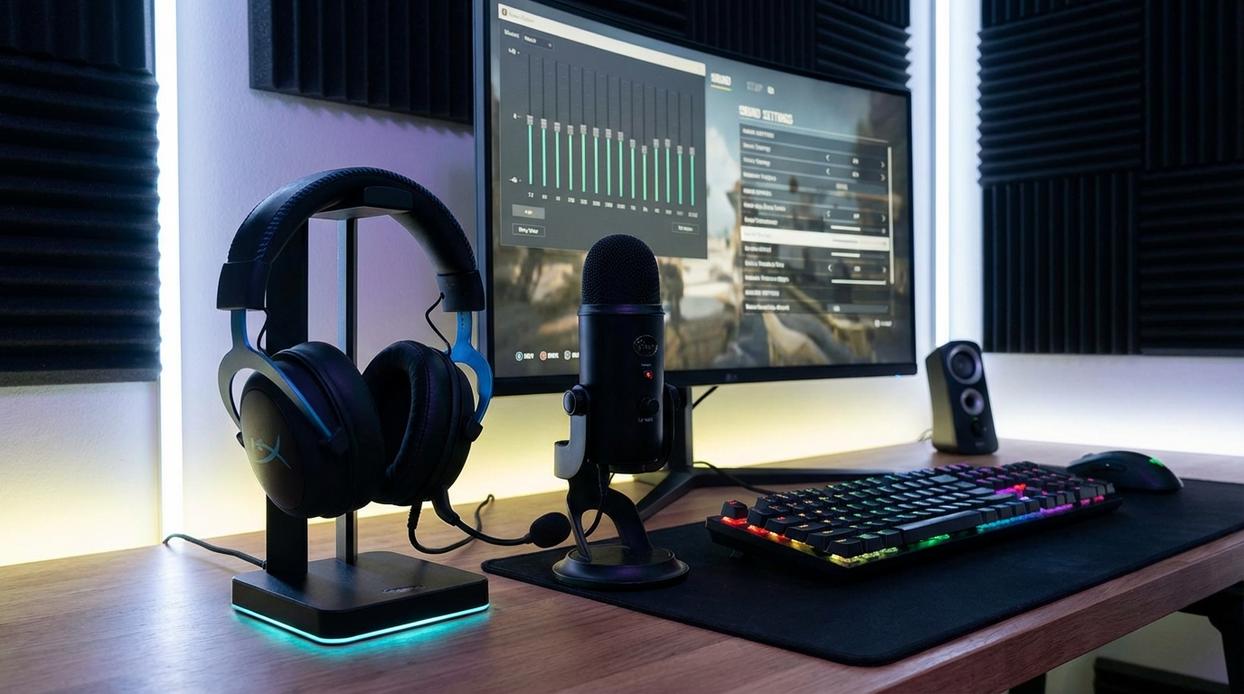
If you’ve ever lost a clutch because your team couldn’t hear you, you already know: mic quality isn’t optional. It’s competitive gear. Let’s break down what actually matters.
Microphone Pickup Patterns shape how sound is captured. A cardioid (unidirectional) mic focuses on sound from the front while reducing background noise—perfect for gaming setups with clacky keyboards. Omnidirectional mics capture sound from all angles, which can be useful for group calls but risky if your fan sounds like a jet engine. Bidirectional picks up from the front and back; honestly, unless you’re podcasting with a co-host, you probably don’t need it.
Noise-Canceling Technology comes in two forms. Passive noise cancellation relies on physical design to block unwanted sound. Active uses AI or software to filter noise in real time. I prefer active for competitive play—it’s like having a digital gatekeeper for your voice.
As for Essential Mic Features, flip-to-mute is non-negotiable (fast reactions matter). A detachable mic adds versatility. And sidetone lets you hear yourself so you don’t shout during intense moments.
When evaluating gaming headset features, prioritize clarity over gimmicks. Pro tip: test recordings before ranked matches. Your squad will thank you.
Built for a Marathon, Not a Sprint
Comfort and durability decide whether your late-night sessions feel epic or exhausting. Materials matter more than most players realize. Leatherette earcups offer strong isolation, but they can trap heat during long raids. Velour breathes better, though you sacrifice some immersion. Hybrid weaves balance both. A metal frame boosts longevity, while plastic trims weight. The benefit? Fewer replacements and longer, uninterrupted play.
Ergonomics shape real comfort. Smart headband padding, earcup swivel, and tuned clamping force prevent pressure hotspots without feeling loose. Too tight causes headaches; too loose breaks focus. Balanced weight distribution matters more than a low number on the spec sheet. A well-designed frame spreads load evenly, reducing neck strain over hours. That’s one of the overlooked gaming headset features that directly improves performance and stamina. For deeper setup knowledge, review essential gaming pc components every player should understand. Your comfort pays dividends.
Cutting the Cord vs. Zero Latency: Wired vs. Wireless Explained
Choosing between wired and wireless headsets comes down to performance vs. freedom.
Wired Headsets
Pros:
- Zero latency (no delay between game audio and what you hear)
- No charging required
- Better audio quality for the price
Cons:
- Cable drag
- Limited movement
Most wired models use a 3.5mm jack or USB connection. A 3.5mm jack is the classic analog plug (simple and universal), while USB delivers digital audio and sometimes virtual surround support. If you play competitive shooters, zero latency can mean hearing footsteps exactly when they happen (and not a split second later).
Wireless Headsets
Pros:
- Freedom of movement
- Cleaner desk setup
Cons:
- Battery management
- Higher cost
- Possible audio latency
There are two main types:
- 2.4GHz wireless: Low latency, uses a USB dongle.
- Bluetooth: More versatile, but higher latency.
If you value mobility, wireless wins. If precision matters most, wired still dominates (like choosing frame rate over flashy RGB). Even Gaming Pulse updates, core gaming essentials, performance-boosting builds, competitive gaming rigs, and expert optimization tips often favor reliability over convenience.
Beyond the essentials, modern headsets win games through control.
Companion software lets you tweak EQ (equalization, meaning balancing sound frequencies) for footsteps or explosions, dial in surround sound, and fine-tune your mic. The benefit? You hear enemies first and sound crystal clear in squad chat.
Equally important are intuitive on-headset controls for volume, mic mute, and game/chat balance—no alt-tabbing, no missed plays.
Finally, confirm multi-platform compatibility across PC, PlayStation, Xbox, and Nintendo Switch. Features vary, so checking ensures you unlock every advantage wherever you compete.
Pro tip: update firmware regularly for peak performance. Small tweaks can deliver big wins. Consistently.
You now know the right headset isn’t about hype—it’s about fit. The best choice balances audio precision, microphone clarity, long-session comfort, and convenient connectivity, but how those translate depends on what you play.
If you grind competitive FPS titles, positional audio (the ability to pinpoint footsteps and direction) gives a measurable edge. In team-based games, a noise-canceling mic ensures every callout is crisp.
Key gaming headset features to prioritize:
- 7.1 surround sound for spatial awareness
- Memory foam earcups for marathon sessions
- Low-latency wireless for lag-free play
Specs matter—but only when they improve your in-game performance.
Level Up Your Gaming Experience Today
You came here looking for a clearer path to better performance, smoother gameplay, and a competitive edge. Now you know what it takes to build, optimize, and fine-tune a setup that actually keeps up with your skills.
Lag, low frame rates, and underpowered hardware don’t just frustrate you — they cost you wins. Whether you’re grinding ranked matches or diving into immersive worlds, your system should work for you, not against you.
The next move is simple: upgrade smart, optimize strategically, and invest in gear that’s built for serious play. Don’t settle for average performance when you can run a system designed to dominate.
If you’re ready to eliminate bottlenecks, boost FPS, and gain a real competitive advantage, explore high-performance builds and proven optimization solutions now. Join thousands of gamers who trust top-rated hardware solutions to power their victories — and take action today to transform your setup into a true gaming powerhouse.