

If your gaming PC is running hotter than it should, you’re not alone. High temperatures can throttle performance, reduce component lifespan, and hold your system back when it matters most. This article is built for gamers who want clear, practical guidance on improving airflow, lowering temps, and getting the most out of their hardware with the right gaming pc cooling solutions.
We break down what actually works—from optimized fan curves and case airflow strategies to liquid cooling options and thermal paste best practices—so you can make informed decisions without guesswork. Every recommendation is grounded in hands-on performance testing, real-world build experience, and up-to-date hardware benchmarks.
Whether you’re upgrading an existing rig or building a competitive setup from scratch, you’ll find actionable steps to reduce heat, boost stability, and maintain peak performance during intense gaming sessions. Let’s make sure your system stays cool under pressure.
Why Your Gaming PC is Overheating (And How to Fix It)
First, let’s define the culprit: thermal throttling—when your CPU or GPU slows itself down to prevent heat damage (great for safety, terrible for frame rates). If your game stutters mid-fight, overheating is likely why.
Start simple. Clean dust from fans, check airflow direction, and reapply thermal paste every 1–2 years (yes, it dries out). Next, compare gaming pc cooling solutions: air coolers are affordable and reliable, while liquid cooling handles overclocked builds better.
Some argue stock coolers are “good enough.” Sometimes. But under heavy load? Not even close.
Pro tip: Aim for balanced intake and exhaust airflow.
The Foundation: Understanding Air Cooling
At its core, air cooling is beautifully simple. A metal heatsink sits on top of your CPU, pulling heat away through heat pipes—sealed copper tubes filled with liquid that evaporates and carries heat toward cooler areas. As the vapor travels, it condenses and releases heat into aluminum fins. Then, a fan pushes air across those fins, blowing the heat out of your case. In short, it’s a continuous cycle of absorption and dissipation (like a tiny weather system living inside your PC).
Pros of Air Cooling
First and foremost, reliability is the big win. With fewer moving parts—typically just a fan—there’s less that can fail compared to pumps and liquid loops. That means fewer headaches and longer lifespans. Additionally, air coolers are cost-effective. Many high-end models rival all-in-one liquid units in performance while costing significantly less (Gamers Nexus testing consistently shows top-tier air coolers trading blows with 240mm AIOs).
Installation is also straightforward. No tubes to route, no pump headers to configure. For builders who want dependable gaming pc cooling solutions without complexity, this translates into faster setup and easier maintenance.
Cons of Air Cooling
However, there are trade-offs. Large tower coolers can block RAM slots or crowd compact cases. There’s also a performance ceiling; extreme overclockers may find high-end liquid cooling handles sustained loads better.
Who Is This For?
If you’re building a budget-to-mid-range rig, value simplicity, and have solid case airflow, air cooling delivers excellent performance with minimal risk. In other words, you get strong thermals, lower costs, and peace of mind—all without turning your build into a science experiment.
Peak Performance: A Guide to Liquid Cooling
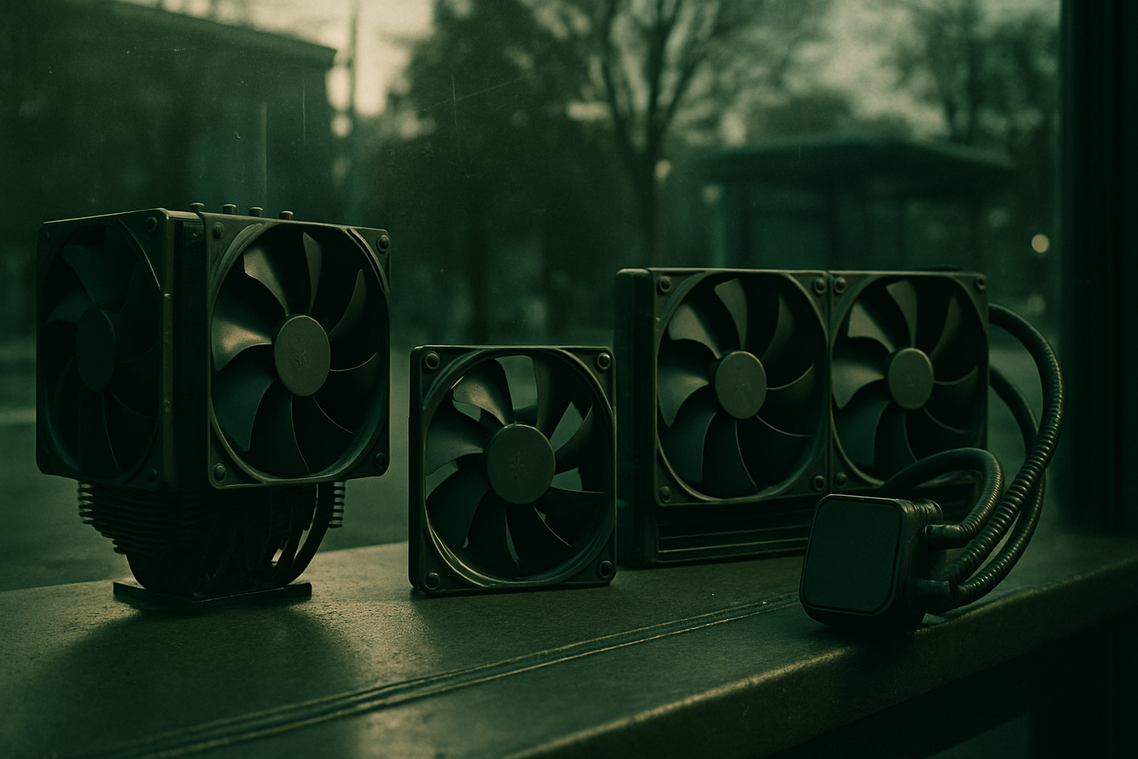
When air coolers start sounding like a jet engine mid-raid, many gamers look to liquid cooling. The most common entry point is the All-In-One (AIO) cooler—a pre-sealed, closed-loop system that includes a radiator, pump, cold plate (block), and tubing. The pump circulates coolant through the block mounted on your CPU, absorbing heat. That heated liquid travels to the radiator, where fans dissipate the heat before the coolant cycles back. It’s a continuous loop (think of it as your PC’s own tiny cooling highway).
Why Choose an AIO?
Pros:
- Superior cooling potential for overclocked CPUs pushing higher voltages and clock speeds.
- Quieter idle performance since large radiators can dissipate heat efficiently at lower fan speeds.
- Cleaner aesthetics, freeing up space around the CPU socket for a minimalist build.
Some argue high-end air coolers perform just as well for less money—and in certain mid-range builds, that’s true (Noctua fans have earned their cult following for a reason). But AIOs shine when thermal loads spike during long gaming sessions or competitive play. If you’re squeezing every frame possible, thermal headroom matters.
Cons:
- Higher upfront cost.
- More complex installation compared to air coolers.
- Small but real risk of pump failure or leaks over time.
What About Custom Loops?
Custom liquid cooling is the enthusiast tier. These open-loop systems can cool both CPU and GPU, delivering maximum thermal performance and near-total customization. The trade-off? High cost, regular maintenance, and serious planning. (It’s less “plug and play,” more “weekend engineering project.”)
Who Is This For?
Liquid cooling makes sense for:
- Gamers running high-end, overclocked CPUs.
- Builders seeking quieter rigs.
- Performance enthusiasts demanding top-tier gaming pc cooling solutions.
If you just browse and stream, air may suffice. But if heat is your bottleneck, liquid cooling removes it decisively.
Choosing Your Champion: Air vs. Liquid Decision Framework
Choosing between air and liquid isn’t about hype—it’s about fit.
For the Budget-Conscious Builder: Go with a quality tower air cooler. Air cooling uses a heatsink (a metal block that absorbs heat) and fans to dissipate it. For most mid-range CPUs, a $40–$70 cooler delivers excellent thermals without the complexity of pumps or tubing. Multiple benchmarks show premium air coolers rival 240mm AIOs in stock performance (Gamers Nexus, 2023). My recommendation: spend the savings on a better GPU.
For the Silent PC Enthusiast: A 280mm or 360mm AIO (all-in-one liquid cooler) is your move. Larger radiators spread heat across more surface area, letting fans spin slower—meaning less noise. If whisper-quiet gaming matters, liquid wins here.
For the Overclocker: If you’re pushing voltage and chasing higher clock speeds, thermal headroom (extra cooling capacity) is critical. Liquid cooling handles heat spikes better, especially during stress tests. Pair this with guidance from overclocking basics safely boosting your gaming pc speed before you start tweaking.
For the Small Form Factor Builder: Space changes everything. Low-profile air coolers are simpler and more reliable, while 120mm AIOs offer cleaner layouts but limited gains. Measure twice. Then choose the option that fits your case and your gaming pc cooling solutions strategy.
Even the best CPU cooler fails if it’s recycling hot air inside a cramped case. That’s the frustration nobody talks about. Positive pressure (more intake than exhaust) helps reduce dust; negative pressure can boost temps. Place front intakes, rear/top exhausts. Smart gaming pc cooling solutions start with airflow today effectively.
Now that you understand the differences between air and liquid cooling, the next step is action. A hot PC is a slow PC—thermal throttling can cut CPU performance by 10–20% under sustained loads, according to Intel’s thermal design documentation. Meanwhile, independent benchmarks from GamersNexus show coolers lowering GPU temps by up to 15°C, preserving boost clocks. In other words, gaming pc cooling solutions protect the performance you already paid for. Some argue stock coolers are “good enough,” but real-world stress tests tell a different story. So, review your temperatures, set a budget, and choose upgrade that eliminates throttling for good.
Take Control of Your Performance
You came here looking for a way to keep your system running cool, quiet, and powerful during intense gaming sessions—and now you know exactly what it takes. From airflow fundamentals to advanced gaming pc cooling solutions, you’ve seen how the right setup prevents overheating, protects your components, and keeps your frame rates stable when it matters most.
Overheating isn’t just annoying—it throttles performance, shortens hardware lifespan, and costs you wins. Ignoring it means risking crashes, lag spikes, and expensive replacements. The good news? With the right cooling strategy, you can eliminate those risks and unlock the full potential of your rig.
Now it’s time to act. Upgrade your cooling setup, optimize your airflow, and choose components built for competitive performance. Don’t settle for thermal throttling when you could be running at peak power.
Ready to boost your FPS and protect your investment? Explore top-rated cooling upgrades and proven performance builds today—trusted by competitive gamers who refuse to compromise. Take control of your temperatures now and game without limits.
 Stephanie Martinezenic writes the kind of optimization tips for gamers content that people actually send to each other. Not because it's flashy or controversial, but because it's the sort of thing where you read it and immediately think of three people who need to see it. Stephanie has a talent for identifying the questions that a lot of people have but haven't quite figured out how to articulate yet — and then answering them properly.
They covers a lot of ground: Optimization Tips for Gamers, Pbox Competitive Gaming Rigs, Performance Boosting Builds, and plenty of adjacent territory that doesn't always get treated with the same seriousness. The consistency across all of it is a certain kind of respect for the reader. Stephanie doesn't assume people are stupid, and they doesn't assume they know everything either. They writes for someone who is genuinely trying to figure something out — because that's usually who's actually reading. That assumption shapes everything from how they structures an explanation to how much background they includes before getting to the point.
Beyond the practical stuff, there's something in Stephanie's writing that reflects a real investment in the subject — not performed enthusiasm, but the kind of sustained interest that produces insight over time. They has been paying attention to optimization tips for gamers long enough that they notices things a more casual observer would miss. That depth shows up in the work in ways that are hard to fake.
Stephanie Martinezenic writes the kind of optimization tips for gamers content that people actually send to each other. Not because it's flashy or controversial, but because it's the sort of thing where you read it and immediately think of three people who need to see it. Stephanie has a talent for identifying the questions that a lot of people have but haven't quite figured out how to articulate yet — and then answering them properly.
They covers a lot of ground: Optimization Tips for Gamers, Pbox Competitive Gaming Rigs, Performance Boosting Builds, and plenty of adjacent territory that doesn't always get treated with the same seriousness. The consistency across all of it is a certain kind of respect for the reader. Stephanie doesn't assume people are stupid, and they doesn't assume they know everything either. They writes for someone who is genuinely trying to figure something out — because that's usually who's actually reading. That assumption shapes everything from how they structures an explanation to how much background they includes before getting to the point.
Beyond the practical stuff, there's something in Stephanie's writing that reflects a real investment in the subject — not performed enthusiasm, but the kind of sustained interest that produces insight over time. They has been paying attention to optimization tips for gamers long enough that they notices things a more casual observer would miss. That depth shows up in the work in ways that are hard to fake.