

If you’re searching for budget gaming pc builds that actually deliver smooth performance without draining your wallet, you’re in the right place. Building a capable gaming setup on a tight budget can feel overwhelming—endless component choices, conflicting advice, and constant hardware updates make it hard to know what’s truly worth your money.
This guide is designed to cut through the noise. We break down the core gaming essentials you need, highlight performance-boosting parts that matter most, and explain how to prioritize your budget for maximum in-game results. Whether you’re aiming for stable 1080p performance, competitive frame rates in esports titles, or a reliable upgrade path for future releases, you’ll find clear, actionable recommendations here.
Our insights are grounded in hands-on hardware testing, real-world performance benchmarks, and proven optimization techniques used by competitive players. Instead of generic part lists, you’ll get practical advice focused on value, compatibility, and long-term performance—so you can build smarter, spend wiser, and start gaming with confidence.
Think a powerful gaming PC has to drain your savings? It doesn’t. The real challenge isn’t performance—it’s knowing where to spend and where to save. You want smooth, high-frame-rate gameplay on a limited budget, and that’s absolutely possible. With smart component pairing, price-to-performance GPUs, and carefully planned budget gaming pc builds, you can unlock serious competitive power without overspending.
Here’s what you gain:
- Higher FPS for the same dollars
- Upgrade flexibility later
- Better long-term value per part
After years of building and optimizing rigs, I’ll break down the most cost-effective assembly options so you build smarter, not pricier starting today.
Your Three Paths to an Affordable Gaming PC
So, you’ve decided to step into PC gaming—the soft RGB glow, the quiet whir of fans spinning up, the crisp click of mechanical keys under your fingers. Now what? Essentially, you have three main paths to choose from:
- Build it yourself (DIY). You hand-pick every part, from the graphics card to the case that hums quietly beside your desk. It’s often the most cost-effective route, especially for budget gaming pc builds, but it demands time, patience, and a steady hand.
- Buy a pre-built system. This is plug-and-play convenience. Open the box, smell that fresh-hardware scent, and you’re gaming in minutes—though usually at a higher price.
- Use a custom assembly service. Here, you choose the parts, and someone else handles the cables and thermal paste (no sweaty palms required).
Ultimately, the “best” option depends on your comfort level, schedule, and budget. Next, we’ll break down each path so you can decide with confidence.
The DIY Route: Maximum Power for Your Dollar
“Why would I pay someone else to build it?” my friend Jake asked, staring at a cart full of components. “Half the fun is doing it myself.”
That’s the heart of the DIY PC route. You save serious money by avoiding labor markups and choosing each part yourself. Instead of a prebuilt system with mystery components, you get complete control—from the GPU (graphics processing unit, the part that renders images) to the PSU (power supply unit, which powers everything).
The upsides are clear:
- Lower cost for higher performance (especially compared to big-brand prebuilts)
- Total customization
- Easier future upgrades
- Hands-on learning that makes troubleshooting less intimidating
As one Reddit builder put it, “After my first build, upgrading felt like swapping LEGO bricks.” (And honestly, that’s not far off.)
But let’s address the counterpoint. DIY isn’t for everyone. It demands research, patience, and steady hands. Bend a CPU pin and you’ll feel it in your soul. Plus, warranties are separate for each part—no single company to call.
Still, for tech enthusiasts chasing the best performance-per-dollar—especially in budget gaming pc builds—it’s hard to argue against DIY.
Pro tip: Use PCPartPicker to verify compatibility and compare retailer pricing before you click “buy.” Your wallet will thank you.
Pre-Built Systems: The Plug-and-Play Solution
Pre-built gaming PCs are exactly what they sound like: fully assembled, ready-to-use systems that work straight out of the box. No cable routing. No BIOS tweaking. Just plug in, install your favorite game, and you’re off.
The biggest advantage is convenience. Everything is configured, tested, and covered under a single warranty (which means one support team instead of juggling five different manufacturers). For many gamers, that peace of mind is worth the premium. Dedicated customer support can also be a lifesaver if something goes wrong.
However, critics argue that pre-builts often cost more for the same performance—and they’re not wrong. Manufacturers sometimes use generic components like lower-tier power supplies or basic motherboards to protect margins. Customization is also limited compared to building your own rig.
So who should buy one? Gamers who value simplicity and immediate playability over tinkering. If you’d rather game than research parts for weeks, this is your lane.
That said, timing matters. Watch major sales events like Black Friday or Prime Day for steep discounts. Pro tip: compare specs against budget gaming pc builds to ensure you’re not overpaying.
And once it arrives, consider optimizing airflow cooling solutions for gaming rigs to maximize long-term performance.
Custom Assembly Services: The Best of Both Worlds?
If you want a PC that’s tailored to your exact specs—but don’t want to wrestle with thermal paste at midnight—custom assembly services are a smart middle ground. In other words, you choose every component (from GPU to case fans), and professionals handle the build, cable management, stress testing, and warranty coverage on the finished system. That last part matters: a comprehensive system-wide warranty means you’re not juggling multiple manufacturers if something fails (which, let’s be honest, is a headache no one enjoys).
Of course, the tradeoff is cost. Labor and service fees make this pricier than pure DIY. Some argue you should always build it yourself to save money. Fair point. However, if time, confidence, or precision is lacking, paying for expertise often prevents expensive mistakes.
My recommendation? Start with competitively priced entry-level options—many builders offer strong foundations similar to budget gaming pc builds—then upgrade strategically as your needs grow.
Smart Component Choices for a Budget Build
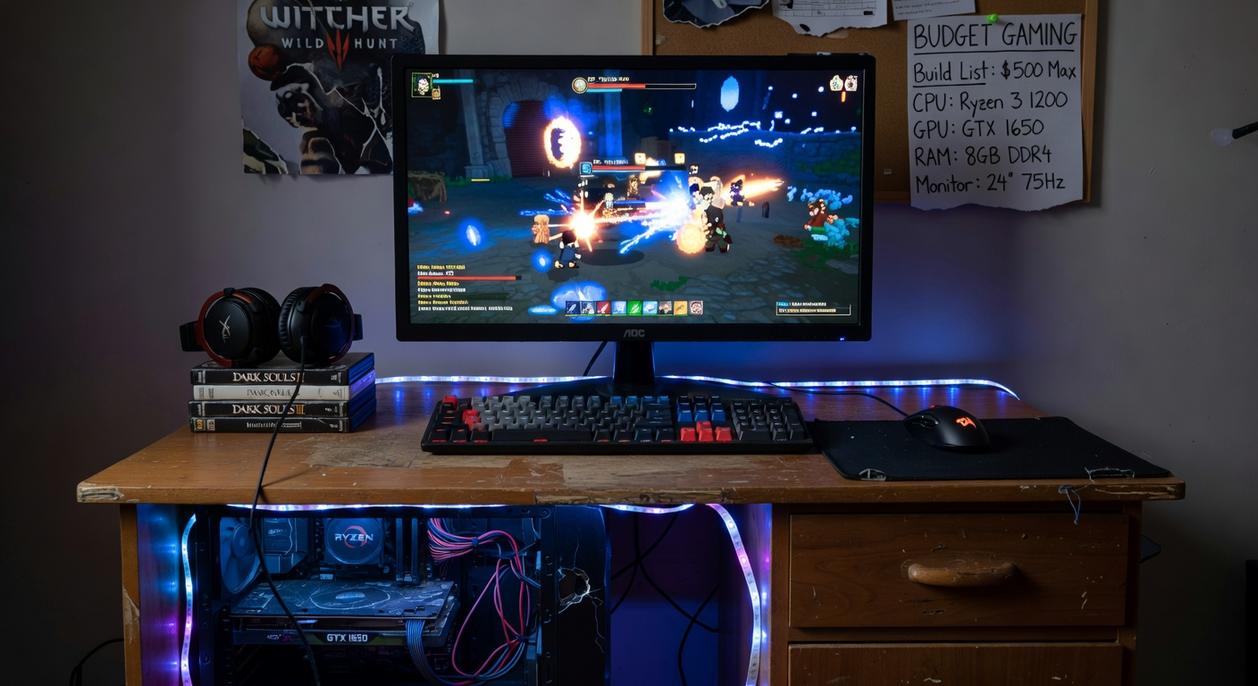
When planning budget gaming pc builds, the biggest question is simple: where does your money actually matter?
Where to invest most:
- Graphics Card (GPU): The GPU handles rendering, textures, and frame rates. In most modern titles, it impacts performance more than any other part (yes, even more than your CPU). If smooth gameplay at high settings is the goal, allocate the largest share here.
Where to save strategically:
- CPU: A previous-gen Ryzen 5 or Intel Core i5 still delivers excellent gaming results at 1080p.
- RAM: 16GB is the sweet spot. Faster kits offer diminishing returns.
- Storage: Start with a 1TB NVMe SSD—fast load times now, add more later.
- Case: Prioritize airflow over flashy RGB (cool components perform better).
Ultimately, the path is yours: DIY for maximum value, pre-built for plug-and-play ease, or a custom builder for guided expertise. While some argue only enthusiasts should assemble PCs, today’s tools and transparent pricing make smart decisions accessible to everyone. In fact, overlooked perks—like warranty layering and upgrade roadmaps—separate great choices from regret. With clear priorities, even budget gaming pc builds can outperform expectations. So, assess your budget, time, and skills, then choose confidently without hesitation.
Level Up Your Gaming Performance Today
You came here looking for clarity on how to build or upgrade a gaming PC without wasting money or sacrificing performance. Now you know what components matter most, how to balance power with price, and how to squeeze every frame possible out of your setup.
The real pain point isn’t just cost — it’s buying the wrong parts and ending up with lag, bottlenecks, and regret. With the right strategy, even budget gaming pc builds can deliver smooth gameplay, competitive frame rates, and long-term reliability.
Now it’s time to act. Don’t settle for underperforming hardware or overpriced prebuilds. Explore optimized build guides, compare performance-tested components, and follow proven upgrade paths trusted by thousands of competitive gamers.
Your next win starts with the right rig. Upgrade smarter, build better, and start dominating your games today.
 how they got into performance boosting builds and you'll probably get a longer answer than you expected. The short version: Helen started doing it, got genuinely hooked, and at some point realized they had accumulated enough hard-won knowledge that it would be a waste not to share it. So they started writing.
What makes Helen worth reading is that they skips the obvious stuff. Nobody needs another surface-level take on Performance Boosting Builds, Gaming Pulse, Pro Perspectives. What readers actually want is the nuance — the part that only becomes clear after you've made a few mistakes and figured out why. That's the territory Helen operates in. The writing is direct, occasionally blunt, and always built around what's actually true rather than what sounds good in an article. They has little patience for filler, which means they's pieces tend to be denser with real information than the average post on the same subject.
Helen doesn't write to impress anyone. They writes because they has things to say that they genuinely thinks people should hear. That motivation — basic as it sounds — produces something noticeably different from content written for clicks or word count. Readers pick up on it. The comments on Helen's work tend to reflect that.
how they got into performance boosting builds and you'll probably get a longer answer than you expected. The short version: Helen started doing it, got genuinely hooked, and at some point realized they had accumulated enough hard-won knowledge that it would be a waste not to share it. So they started writing.
What makes Helen worth reading is that they skips the obvious stuff. Nobody needs another surface-level take on Performance Boosting Builds, Gaming Pulse, Pro Perspectives. What readers actually want is the nuance — the part that only becomes clear after you've made a few mistakes and figured out why. That's the territory Helen operates in. The writing is direct, occasionally blunt, and always built around what's actually true rather than what sounds good in an article. They has little patience for filler, which means they's pieces tend to be denser with real information than the average post on the same subject.
Helen doesn't write to impress anyone. They writes because they has things to say that they genuinely thinks people should hear. That motivation — basic as it sounds — produces something noticeably different from content written for clicks or word count. Readers pick up on it. The comments on Helen's work tend to reflect that.