
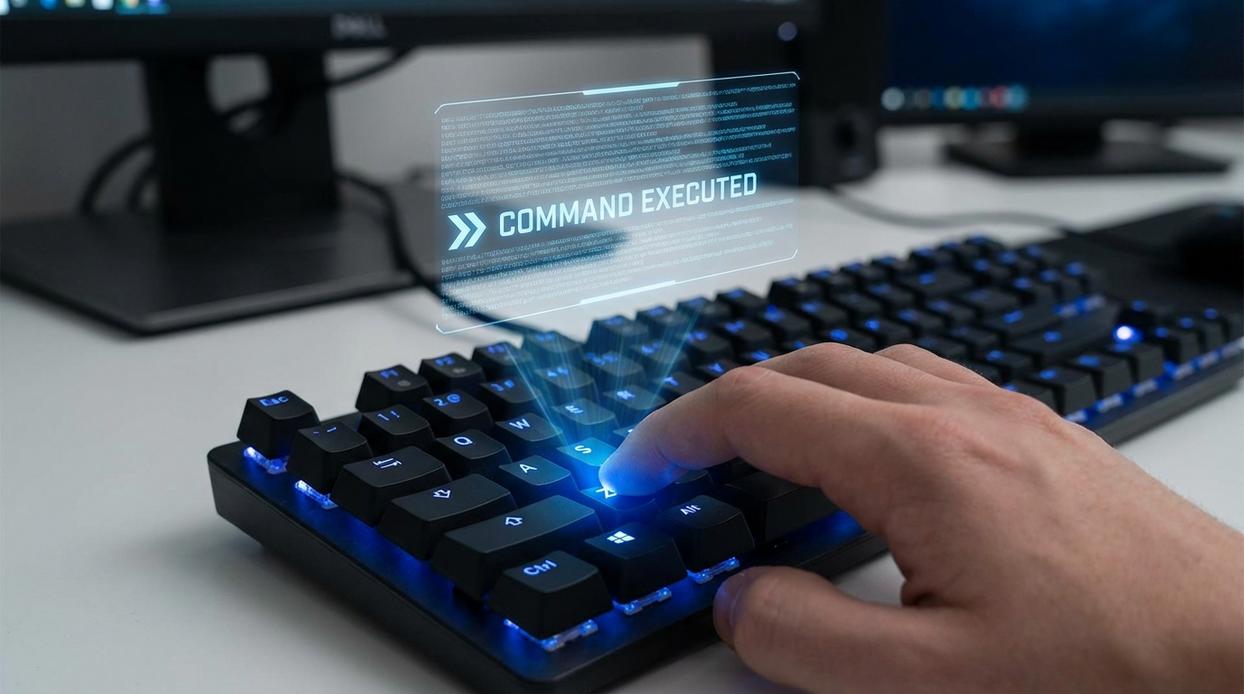
If you’re serious about improving your gameplay, it starts with the right gear—and that means choosing a gaming mouse that matches your playstyle, performance goals, and preferred genres. Whether you’re grinding ranked matches, competing in fast-paced shooters, or exploring expansive RPG worlds, the mouse you use directly impacts precision, reaction time, and overall comfort.
This article is designed to help you cut through the noise. Instead of vague recommendations, you’ll find clear guidance on sensor performance, DPI settings, polling rates, ergonomics, weight balance, and customization features that actually make a difference in competitive play.
We’ve analyzed current hardware trends, performance benchmarks, and optimization standards used in competitive environments to ensure the information is accurate and practical. By the end, you’ll understand what specs matter, what’s marketing hype, and how to confidently pick a gaming mouse that elevates your performance rather than holding you back.
Most gaming gear looks impressive, but specs—not slogans—drive performance. DPI (dots per inch) measures mouse sensitivity; higher isn’t always better, just faster cursor movement. Polling rate is how often your device reports to your PC, measured in Hz. More Hz means lower input delay.
When choosing a gaming mouse, focus on:
• SENSOR TYPE (optical vs. laser)
• WEIGHT and balance
• SHAPE for your grip style
Mechanical keyboard switches differ by actuation force (how hard you press). Headset frequency response affects sound clarity.
Do RGB lights make you better? No—but PRECISION and LATENCY do.
SKILL still matters most. Always.
The Gaming Mouse: Translating Movement into Victory
DPI & Sensor Accuracy: Precision Over Hype
Let’s challenge the big myth first: higher DPI does not automatically make you better. DPI (dots per inch) measures how far your cursor moves relative to physical mouse movement. Crank it to 26,000 DPI and your cursor will fly across the screen—but that doesn’t mean your aim improves. In fact, most pros sit between 400–1600 DPI because control beats chaos (yes, even if the box screams otherwise). Studies of professional FPS players consistently show lower effective sensitivity for accuracy (Liquipedia Pro Settings Database).
Equally important is the sensor. A flawless sensor—such as a PMW3360 or newer—ensures 1:1 tracking, meaning your cursor mirrors your hand without acceleration (unwanted speed boosts) or jitter (tiny tracking errors). Marketing loves extreme DPI numbers; competitive players love consistency.
Polling Rate: The Speed of Information
Polling rate, measured in Hertz (Hz), is how often your mouse reports its position to your PC. At 1000Hz, it reports 1000 times per second. Some argue 500Hz is “good enough.” Technically true—but 1000Hz reduces input lag to 1ms, which matters in tight duels (NVIDIA System Latency Guide). In competitive play, milliseconds are not theoretical.
Ergonomics, Grip, and Essential Features
Palm, claw, and fingertip grips each demand different shapes and weights. Ignore this, and fatigue sets in fast. When choosing a gaming mouse, prioritize comfort over trend weight wars. Ultra-light isn’t always superior (controversial, I know).
Finally, programmable buttons shine in MMOs and MOBAs, while low-friction feet ensure smoother glide. Pro tip: replace stock feet if drag feels inconsistent. Small tweaks, big difference.
The Keyboard: Your Command and Control Center

Your keyboard isn’t just a typing tool—it’s your input engine. Every strafe, reload, and clutch ability runs through it. So let’s break down what actually matters (and what’s just marketing noise).
Mechanical Switches Explained
Mechanical switches come in three core types:
- Linear: Smooth keystrokes with no bump. Ideal for FPS players who need rapid, repeated presses.
- Tactile: Noticeable bump at the actuation point (the moment a key registers). Great all-around choice.
- Clicky: Tactile and audible click. Loved by typists, less loved by roommates.
Some argue switch type barely affects performance—that skill matters more. True, skill is king. However, studies on reaction time show reduced actuation force and shorter travel distance can shave milliseconds off inputs (Human-Computer Interaction research, Card et al.). In competitive play, milliseconds stack up.
N-Key Rollover (NKRO) & Anti-Ghosting
NKRO means every keypress registers, no matter how many are pressed simultaneously. Anti-ghosting prevents false inputs.
For example: press W + Shift + Space to sprint-jump. On a weak keyboard, one key might not register (frustrating, right?). In gaming, NKRO isn’t optional—it’s foundational.
Form Factor for Your Desk Space
- Full-Size: Includes number pad. Best for multitaskers.
- Tenkeyless (TKL): No numpad. More mouse room.
- 60%/65%: Ultra-compact. Maximum desk space.
A smaller layout frees space for wider mouse sweeps—especially helpful when choosing a gaming mouse with low DPI settings.
Build Quality Matters
PBT keycaps resist shine and wear better than ABS. Meanwhile, aluminum frames reduce flex compared to plastic. That rigidity improves consistency over time (pro tip: flex subtly alters key feel during intense sessions).
And while many guides stop here, don’t ignore how your keyboard pairs with your display setup—see our detailed breakdown in the gaming monitor buying guide refresh rates resolution and more: https://pboxcomputers.com.co/gaming-monitor-buying-guide-refresh-rates-resolution-and-more/.
Ultimately, the right keyboard isn’t flashy—it’s reliable under pressure.
The Headset: Immersive Audio and Flawless Communication
Audio Drivers & Soundstage
Let’s start with the basics. Audio drivers are the small speakers inside your headset that produce sound. Larger, high-quality drivers typically move more air, which can create a wider soundstage—the perceived space where sounds seem to exist around you. A wide soundstage helps you pinpoint enemy footsteps, distant gunfire, or the exact direction of a reload.
Here’s where confusion creeps in: a “wide” soundstage isn’t the same as “big bass.” Cinematic headsets often boost low frequencies for dramatic explosions (great for movie night, less great for ranked matches). Competitive sound prioritizes clarity and directional accuracy over rumble.
Surround Sound vs. High-Fidelity Stereo
Virtual 7.1 surround sound uses software to simulate multiple speakers. It sounds impressive on paper. But software-based surround can sometimes muddy positional cues because it artificially processes audio signals.
A high-fidelity stereo headset, by contrast, uses two well-tuned drivers to create precise imaging. Imaging refers to how accurately you can place a sound in space. Many competitive players prefer stereo because it delivers cleaner, more reliable directionality (yes, even if the box doesn’t scream “7.1”).
Think of it like choosing a gaming mouse: more features don’t always mean better performance.
Microphone Clarity
Clear communication wins games. Look for a cardioid (unidirectional) pickup pattern, which captures sound primarily from the front while reducing background noise. That means your teammates hear your callouts—not your keyboard or fan.
Noise-canceling microphones further isolate your voice. Pro tip: a detachable or adjustable boom mic often provides better placement and clarity.
Comfort for Marathon Sessions
Comfort is simple in theory: the best headset is one you forget you’re wearing. Key factors include clamping force (how tightly it grips), earcup material (leatherette seals better; fabric breathes more), headband padding, and overall weight.
If it feels like a vice after an hour, no audio upgrade will save it (and your squad will notice).
Building Your Performance-Focused Setup
Recap: Choosing the right accessory isn’t about the flashiest lights; it’s about matching core technology to your personal needs.
The Pain Point Revisited: You can now avoid wasting money on features that don’t improve performance.
The Solution in Action: Prioritize sensor quality, switch type, and audio clarity over all else.
When choosing a gaming mouse focus on DPI accuracy (dots per inch) and low lift-off distance for precise tracking.
Audit and Upgrade
Use this framework to review your current gear and pinpoint the single most impactful upgrade for your favorite game today. Start smart now.
Level Up Your Setup with the Right Gear
You came here to make sure you’re making the right decision about your gaming setup — and now you have the clarity to do exactly that. From understanding DPI and polling rates to grip styles and responsiveness, you’re no longer guessing. You know what matters.
The frustration of lag, missed shots, or uncomfortable long sessions often comes down to one overlooked detail: choosing a gaming mouse that truly fits your playstyle. The wrong gear holds you back. The right gear unlocks precision, speed, and consistency.
Now it’s time to act.
Don’t settle for average performance. Upgrade to a mouse built for accuracy, speed, and competitive reliability. Our performance-tested gaming gear and optimization-backed recommendations are trusted by serious players who refuse to compromise.
Take control of your gameplay today. Explore our top-rated gaming mouse picks and build a setup that gives you the edge every single match.
 how they got into performance boosting builds and you'll probably get a longer answer than you expected. The short version: Helen started doing it, got genuinely hooked, and at some point realized they had accumulated enough hard-won knowledge that it would be a waste not to share it. So they started writing.
What makes Helen worth reading is that they skips the obvious stuff. Nobody needs another surface-level take on Performance Boosting Builds, Gaming Pulse, Pro Perspectives. What readers actually want is the nuance — the part that only becomes clear after you've made a few mistakes and figured out why. That's the territory Helen operates in. The writing is direct, occasionally blunt, and always built around what's actually true rather than what sounds good in an article. They has little patience for filler, which means they's pieces tend to be denser with real information than the average post on the same subject.
Helen doesn't write to impress anyone. They writes because they has things to say that they genuinely thinks people should hear. That motivation — basic as it sounds — produces something noticeably different from content written for clicks or word count. Readers pick up on it. The comments on Helen's work tend to reflect that.
how they got into performance boosting builds and you'll probably get a longer answer than you expected. The short version: Helen started doing it, got genuinely hooked, and at some point realized they had accumulated enough hard-won knowledge that it would be a waste not to share it. So they started writing.
What makes Helen worth reading is that they skips the obvious stuff. Nobody needs another surface-level take on Performance Boosting Builds, Gaming Pulse, Pro Perspectives. What readers actually want is the nuance — the part that only becomes clear after you've made a few mistakes and figured out why. That's the territory Helen operates in. The writing is direct, occasionally blunt, and always built around what's actually true rather than what sounds good in an article. They has little patience for filler, which means they's pieces tend to be denser with real information than the average post on the same subject.
Helen doesn't write to impress anyone. They writes because they has things to say that they genuinely thinks people should hear. That motivation — basic as it sounds — produces something noticeably different from content written for clicks or word count. Readers pick up on it. The comments on Helen's work tend to reflect that.