
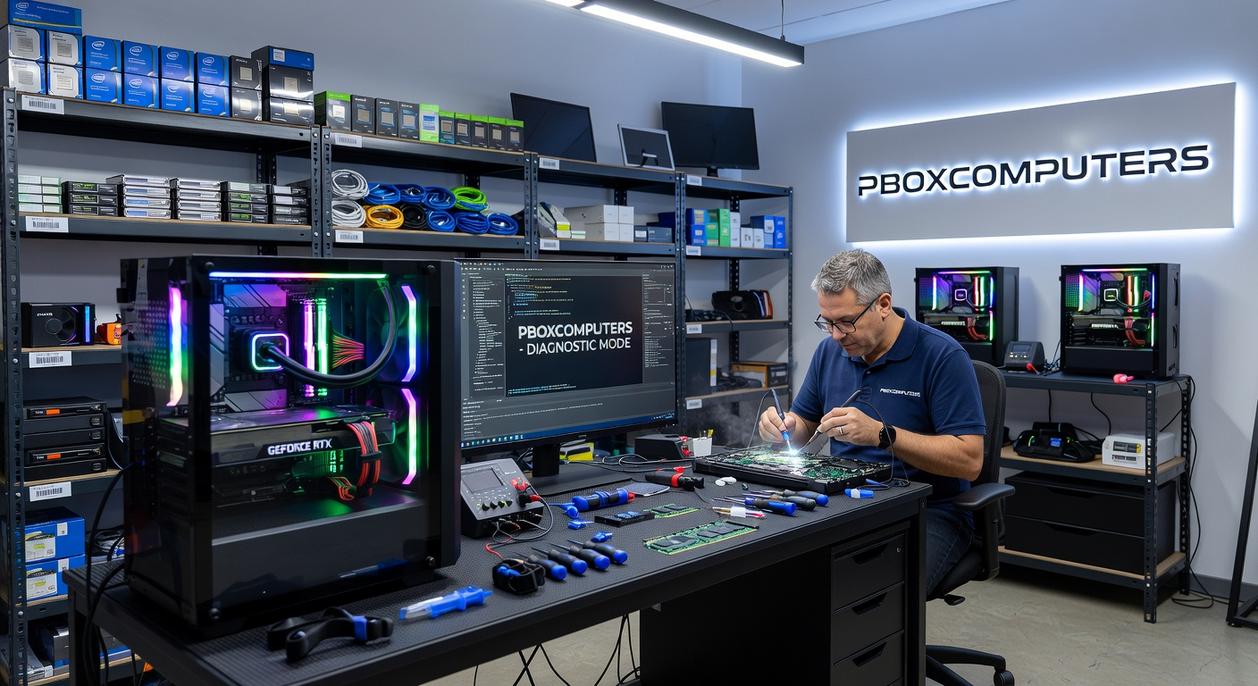
I’ve built enough custom rigs to know when someone’s getting shortchanged by a prebuilt machine.
You’re here because your current PC isn’t cutting it anymore. Maybe it’s the frame drops during crucial moments or the render times that kill your workflow. Either way, you know there’s something better out there.
Here’s the truth: off-the-shelf computers are built for average users doing average tasks. They cut corners on components you actually need and waste money on parts you don’t.
I’ve spent years putting together high-performance rigs for gamers and creators who demand more. The difference between a mass-produced box and a properly spec’d custom build? It’s night and day.
This guide shows you what makes a custom PC worth the investment. You’ll learn what separates a good builder from someone just slapping parts together.
We work with these systems every day at pboxcomputers. We know which components actually deliver performance and which ones are just marketing hype.
You’ll see exactly what goes into a machine that’s built for your specific needs. Whether you’re chasing competitive frame rates or crushing creative workloads, you’ll understand how the right setup changes everything.
No generic solutions. Just builds that actually match what you do.
The Custom Advantage: Performance & Quality Pre-Builts Can’t Match
You walk into a big box store and see a gaming PC for $1,200.
Looks good on paper. But here’s what they don’t tell you.
Half your budget went into a flashy case and an RGB light show. The power supply? Some no-name brand that’ll fail in 18 months. The motherboard? Bare minimum specs with zero room to grow.
I’ve torn down dozens of pre-builts from major brands. What I find inside makes me wince every single time.
Some people say pre-builts are fine because they come with warranties. They argue that building your own means you’re on the hook if something breaks. Fair point on the surface.
But warranties don’t help when your entire system is bottlenecked by cheap parts you CAN’T replace without voiding everything.
Here’s what actually matters.
Tailored Performance
When I build a PC at Pboxcomputers, I start with one question. What are you actually doing with this machine?
Gaming? Your money goes into the GPU first. Video editing? We prioritize CPU cores and RAM capacity. Streaming? We balance both while making sure your cooling can handle sustained loads.
Pre-builts throw parts together based on what’s cheap that quarter. Not what works best for you.
Superior Component Selection
I choose motherboards that’ll support the next two generations of processors. Power supplies from brands that actually test their units under real conditions (not just marketing claims). Cooling systems that keep your components running at safe temps even during Kentucky summers.
You don’t get that freedom with a Dell or HP. You get whatever proprietary setup keeps you locked into their ecosystem.
Future-Proof by Design
My builds have clear upgrade paths. Better GPU in two years? Swap it in. More storage? Add another drive. Faster RAM? Done in ten minutes.
Most pre-builts use custom motherboards or weird form factors that make upgrades impossible. You’re stuck buying a whole new system when you just need one better part.
No Bloatware, Pure Power
Fresh Windows install. Nothing else.
No trial antivirus software slowing your boot time. No manufacturer utilities running in the background eating RAM. No pre-installed garbage you’ll spend an hour uninstalling anyway.
Just clean, fast performance from day one.
That’s the difference between a machine built for YOU and one built to hit a price point on a store shelf.
What to Demand from Your Custom PC Provider
You’re about to drop serious money on a custom build.
So why do most people settle for the first builder who throws together a parts list and calls it a day?
I’ll tell you why. They don’t know what to look for. They assume all custom PC providers are basically the same.
They’re not.
I’ve seen too many builds that look good on paper but fall apart under real use. Thermal throttling during long gaming sessions. Components that don’t play nice together. Cable management that chokes airflow.
Here’s what you actually need to demand.
A Real Consultation
Your builder should ask questions. What games do you play? What resolution are you targeting? Do you stream while gaming?
If they’re just copying a template build, walk away.
A good provider acts like a consultant. They dig into your specific needs and design around that. Not around what’s easiest for them to build.
Component Knowledge That Goes Deep
Anyone can pick popular parts off PCPartPicker.
But can they explain why a specific CPU pairs better with your GPU choice? Can they tell you the performance trade-offs between different RAM speeds for your use case? For gamers seeking to optimize their setups, the Homepage of our site offers in-depth articles that demystify why certain CPUs pair better with specific GPUs and explore the performance trade-offs of various RAM speeds tailored to your unique gaming needs. For gamers eager to enhance their performance and make informed hardware choices, the of our site serves as a valuable resource, featuring detailed articles that clarify the optimal CPU and RAM combinations tailored to your specific gaming needs.
This is where pboxcomputers separates from the pack. When I choose components, I’m thinking about bottlenecks you won’t see until you’re six months into ownership.
Some people say specs are specs and it doesn’t matter who puts them together. That any competent builder will give you the same result.
That’s garbage.
Build Quality You Can See
Open the case. Look at the cables.
Are they bundled cleanly behind the motherboard tray? Or are they just shoved wherever they fit?
Cable management isn’t about looks (though that’s nice). It’s about airflow. Messy cables block air movement and your temps suffer.
Your builder should also stress test everything. Thermals under load. Stability during extended sessions. BIOS settings tuned for your specific hardware.
Support After the Sale
This is where most builders ghost you.
You need a clear warranty. Real technical support when something goes wrong. And guidance when you’re ready to upgrade down the road.
Because here’s the truth. Your needs will change. Games will get more demanding. You’ll want to push higher framerates.
A good provider doesn’t just build your PC and disappear. They’re there when you need them.
Don’t settle for less.
Decoding the Core: A Practical Guide to PC Components
You know what drives me crazy?
Walking into a build and realizing someone dropped $2000 on parts that don’t match what they actually do.
I see it all the time. Someone buys an 8-core CPU for gaming when they needed those extra dollars in their GPU budget. Or they’re running a 4K monitor with a card that can barely push 1440p.
It’s frustrating because the information is out there. But it’s buried under specs and marketing talk that doesn’t help you make real decisions.
Let me break this down the way I wish someone had explained it to me.
The CPU: Your System’s Brain
Here’s the deal with processors.
Core count matters for creative work. If you’re rendering video or running simulations, more cores will save you hours. But for competitive gaming? Clock speed wins almost every time.
I’ve tested rigs where a 6-core CPU with higher clock speeds outperformed a 12-core beast in actual frame rates. The games just don’t use all those cores yet.
The GPU: Where Your Money Should Go
This is the part that matters most for gaming.
Your graphics card needs to match your monitor. A 1080p setup doesn’t need a $1200 GPU. But if you’re pushing 4K at high refresh rates, don’t cheap out here.
I see people do this backwards constantly. They buy the flashiest CPU and wonder why their games still stutter at their target resolution.
RAM: The Sweet Spot
16GB is your baseline now. Period.
But here’s where it gets real. If you’re streaming while gaming or running Chrome with 47 tabs open (we all do it), 32GB stops being a luxury. Same goes for content creation work.
The Pboxcomputers Gaming Updates From Plugboxlinux community has tested this extensively and the results are clear.
Storage: The Difference You’ll Feel
NVMe SSDs changed everything.
Your boot drive needs to be fast. Not just for bragging rights but because waiting 45 seconds for your system to start in 2024 is unacceptable.
Game load times drop from minutes to seconds. Your whole system feels snappier. This isn’t optional anymore for performance builds.
The Build Process: From Your Vision to a High-Performance Reality
Here’s how we turn your ideas into a machine that actually performs.
Step 1: The Blueprint
We start with a real conversation. I need to know what you’re building this for. Are you chasing high framerates in competitive shooters? Streaming while you game? Running content creation software that eats RAM for breakfast?
Your budget matters too. I’m not here to upsell you on parts you don’t need.
Step 2: Parts Procurement
Once we know what you need, I source components from brands I trust. The kind that won’t fail you six months in (because nothing kills a gaming session faster than a dead PSU).
Step 3: The Assembly & Gauntlet
This is where pboxcomputers separates from the pack. I build your rig myself. Then I put it through stress tests that push every component to its limit. If something’s going to fail, I want it to happen here, not during your ranked match.
Step 4: Delivery & Unboxing
You get your build shipped securely with instructions that make sense. No tech jargon. No guessing. Just plug it in and start playing.
The benefit? You skip all the research paralysis and compatibility headaches. You get a machine built specifically for what you do, tested to perform when it counts. By staying informed with Pboxcomputers Gaming Updates From Plugboxlinux, you can effortlessly avoid the research paralysis and compatibility headaches that often accompany building a gaming rig, ensuring you have a machine that’s finely tuned for peak performance when it matters most. By staying informed with Pboxcomputers Gaming Updates From Plugboxlinux, you can effortlessly navigate the complexities of gaming hardware without the usual research paralysis or compatibility headaches.
Invest in an Experience, Not Just a Machine
You came here to understand what makes a custom PC different from something off the shelf.
Now you know.
Pre-built systems force you to compromise. You get parts you don’t need and miss out on the ones you do. That ends with a custom build.
A custom PC gives you exactly what you want. The performance matches your games. The quality lasts. The platform grows with you instead of holding you back.
I’ve seen too many gamers settle for machines that almost work. They spend money on systems that can’t keep up six months later.
That’s not how it should be.
When you build custom, you’re investing in something that fits your style and your goals. No wasted specs. No bottlenecks. Just a rig that performs the way you need it to.
pboxcomputers builds systems around what you actually do, not what some factory decided was good enough.
Ready to stop compromising? Start a conversation with an expert who can design the perfect rig for your games and goals. Tell them what you play and how you want to perform.
Your next build should be yours from the ground up. Trending News Pboxcomputers. Pboxcomputers Gaming News by Plugboxlinux.
 There is a specific skill involved in explaining something clearly — one that is completely separate from actually knowing the subject. Selrith Norcrofta has both. They has spent years working with gaming pulse in a hands-on capacity, and an equal amount of time figuring out how to translate that experience into writing that people with different backgrounds can actually absorb and use.
Selrith tends to approach complex subjects — Gaming Pulse, Performance Boosting Builds, Optimization Tips for Gamers being good examples — by starting with what the reader already knows, then building outward from there rather than dropping them in the deep end. It sounds like a small thing. In practice it makes a significant difference in whether someone finishes the article or abandons it halfway through. They is also good at knowing when to stop — a surprisingly underrated skill. Some writers bury useful information under so many caveats and qualifications that the point disappears. Selrith knows where the point is and gets there without too many detours.
The practical effect of all this is that people who read Selrith's work tend to come away actually capable of doing something with it. Not just vaguely informed — actually capable. For a writer working in gaming pulse, that is probably the best possible outcome, and it's the standard Selrith holds they's own work to.
There is a specific skill involved in explaining something clearly — one that is completely separate from actually knowing the subject. Selrith Norcrofta has both. They has spent years working with gaming pulse in a hands-on capacity, and an equal amount of time figuring out how to translate that experience into writing that people with different backgrounds can actually absorb and use.
Selrith tends to approach complex subjects — Gaming Pulse, Performance Boosting Builds, Optimization Tips for Gamers being good examples — by starting with what the reader already knows, then building outward from there rather than dropping them in the deep end. It sounds like a small thing. In practice it makes a significant difference in whether someone finishes the article or abandons it halfway through. They is also good at knowing when to stop — a surprisingly underrated skill. Some writers bury useful information under so many caveats and qualifications that the point disappears. Selrith knows where the point is and gets there without too many detours.
The practical effect of all this is that people who read Selrith's work tend to come away actually capable of doing something with it. Not just vaguely informed — actually capable. For a writer working in gaming pulse, that is probably the best possible outcome, and it's the standard Selrith holds they's own work to.